



















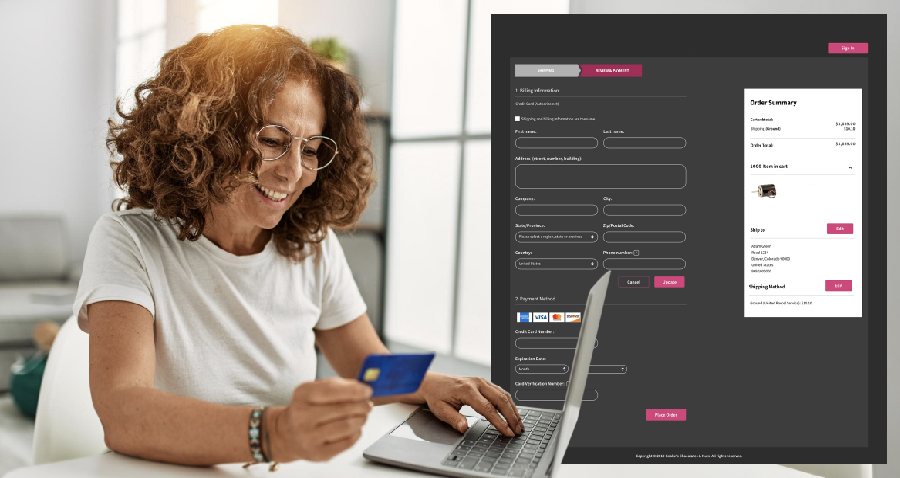
According to the Baymard Institute, a well-designed checkout page can reduce cart abandonment rates and increase conversions by an average of 35%. Therefore, if you’re seeing high cart abandonment rates with your online store, the issue most likely lies in your checkout process. Although people are genuinely interested in your products, something at the end of the customer journey is causing them to hesitate before buying. This guide offers proven Magento 2 checkout customization tips to reduce friction and create a seamless, enjoyable experience for every customer.
1. Install Magento 2 One Step Checkout Extension
Installing the Magento 2 One Step Checkout extension offers plenty of advantages, along with consistent upgrades, easy maintenance, and guaranteed compatibility with your Magento 2 site. This extension will allow you to design a responsive single-page checkout form to make it easy for customers to view all the required fields and edit them as needed. In addition, the extension provides numerous helpful features to reduce errors and friction. Helpful features to support Magento 2 checkout customization include:
- GeoIP detection and Google address suggestions. These tools will suggest addresses as the customer is typing their address, which will minimize small spelling errors or missing address details.
- Clear order details. Customers will be able to select different options for the delivery date and input specific notes about their order.
- Payment trust badges. Improve customer trust by showing trusted security seals directly on the checkout page.
- Responsive checkout. The Magento 2 checkout extension is designed with mobile in mind; the checkout process is designed to be easy to navigate across all types of devices.
- Multiple payment options. Merchants will be able to accept the most popular methods of payments, including credit cards, Paypal, Braintree, Authorize.net, and more.
A full installation guide can be accessed here, which offers step-by-step instructions for downloading the extension and installing it on your site.
This is a key strategy if you’re looking to improve Magento checkout experience and lower friction in your customer journey.
One-Step Checkout vs. Multi-Step Checkout: Which Is Better for Conversions?
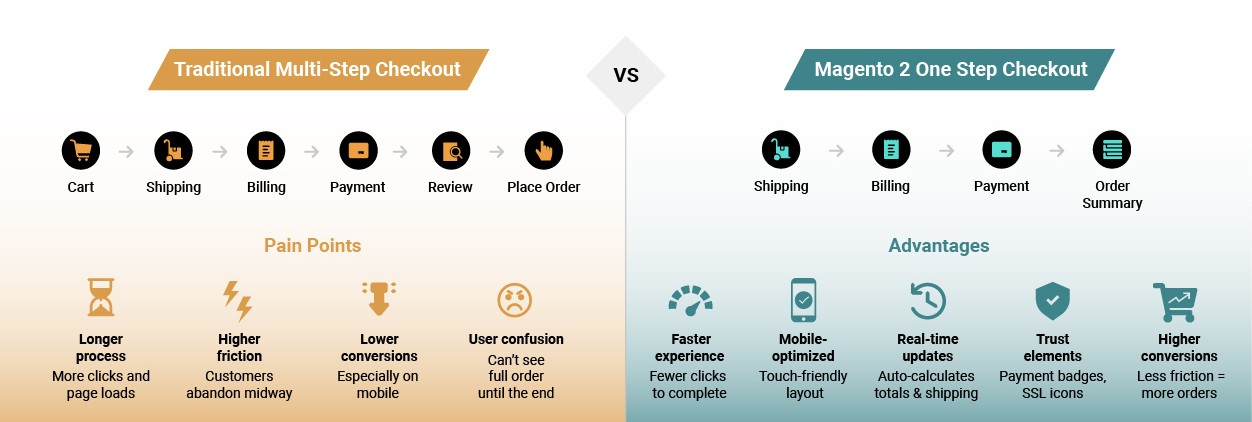
Traditional Multi-Step Checkout
Pain Points:
- ⏳ Longer process – More clicks and page loads
- ❌ Higher friction – Customers abandon midway
- 📉 Lower conversions – Especially on mobile
- 😩 User confusion – Can’t see full order until the end
Magento 2 One Step Checkout
Advantages:
- 🚀 Faster experience – Fewer clicks to complete
- 📱 Mobile-optimized – Touch-friendly layout
- ✔️ Real-time updates – Auto-calculates totals & shipping
- 🔐 Trust elements – Payment badges, SSL icons
- 🛒 Higher conversions – Less friction = more orders
2. Customize the Magento 2 Default Checkout Template
Customizing the default Magento 2 checkout template allows businesses to fine-tune the user experience, align the interface with their branding, and introduce features that reduce friction in the buying process. This strategy is ideal for merchants who want full control over the checkout flow without relying solely on third-party extensions.
By modifying the default template, developers can:
- Add or remove form fields to capture only the necessary customer data, improving speed and user satisfaction.
- Reorder steps to prioritize shipping or payment selection based on business needs.
- Insert marketing elements such as limited-time offers, cross-sells, or countdowns within the checkout flow.
- Customize the visual layout and typography to match your store’s branding, maintaining consistency and trust.
For example, a fashion store might include a field for gift messages, while a B2B store might need to capture VAT ID or company information. Furthermore, Magento 2’s layered architecture allows frontend developers to override specific checkout templates without affecting the core code, making maintenance and updates easier.
Magento’s built-in layout XML and Knockout.js-based architecture provide developers the flexibility to add custom validations, toggle visibility for elements, or integrate APIs like postal address verifiers, making this a core part of Magento checkout best practices. Clear documentation is available on Adobe’s Developer Portal, including layout XML guides and JS module references for checkout page customization.
Supercharge Your Checkout Flow Today
Reduce cart abandonment and boost conversions with expert Magento 2 checkout customization tailored to your store’s unique needs.
3. Enable Guest Checkout with Smart Account Creation
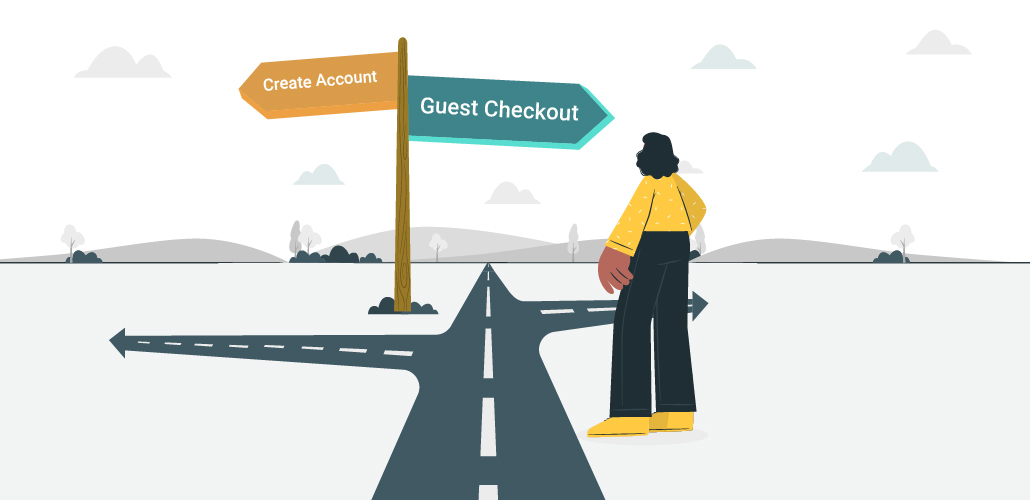
A common way to reduce checkout abandonment in Magento is to allow guest checkout. Many users drop off when they’re forced to register, especially first-timers. With guest checkout, you streamline the process and let shoppers complete their purchase quickly. Enabling guest checkout is an essential part of Magento 2 checkout UI/UX improvements.
With guest checkout enabled:
- Shoppers can place an order using only their email address and shipping details, without the burden of creating a password or verifying their email.
- Magento 2 will still retain customer data securely for order tracking and fulfillment purposes.
- Users can later choose to convert their guest checkout into a registered account with one click, often offered on the thank-you page or via post-purchase emails.
To go further, smart account creation techniques like social login integration (Google, Facebook, Apple) can offer frictionless sign-up options. For B2B businesses, Magento 2 can be configured to suggest account creation with benefits like saved quotes, invoice billing, and order history access.
The key is to present registration as an optional, value-added feature, not a roadblock. With proper configuration under Stores > Configuration > Sales > Checkout, Magento admins can toggle guest checkout settings and create a user-friendly environment that improves user trust and completion rates.
4. Offer a Wide Variety of Payment and Shipping Methods

Offering multiple payment and shipping methods isn’t just about convenience—it’s about trust, flexibility, and global reach. Today’s eCommerce shoppers expect to see the payment options they’re comfortable with, whether it’s PayPal, credit cards, Apple Pay, or buy-now-pay-later solutions like Klarna. An important part of Magento 2 checkout customization is making sure customers see the payment methods they trust.
Magento 2 supports out-of-the-box integrations with major payment processors including:
- PayPal, Braintree, Authorize.net
- Stripe, Square, Adyen, Worldpay
- Amazon Pay, Apple Pay, and Google Pay via extensions
- Localized gateways like Razorpay (India), PayU (Latin America), or Alipay (China)
This level of flexibility strengthens your store’s appeal and boosts Magento 2 checkout optimization, especially in international markets.
On the shipping side, integration with carriers like FedEx, UPS, DHL, USPS, and third-party APIs enables real-time shipping rate calculations, estimated delivery times, and location-based options. Merchants can also offer free shipping thresholds, local pickup, or same-day delivery to enhance customer choice.
Customization possibilities include:
- Showing or hiding payment options based on order total or location
- Enabling COD (Cash on Delivery) in specific zones
- Offering tiered shipping rates or custom delivery windows
Magento’s shipping methods can be configured under Stores > Configuration > Sales > Shipping Methods, and additional options can be introduced via marketplace extensions or custom modules.
5. Optimize for Mobile Checkout
With over 70% of shoppers buying from mobile devices, Magento 2 checkout customization for mobile is more important than ever. It is non-negotiable. A mobile-first approach focuses on creating a seamless, intuitive experience across all screen sizes and devices.
Magento 2’s responsive themes provide a strong foundation, but optimization can be taken further by:
- Ensuring large tap targets for form fields, buttons, and dropdowns
- Using auto-complete and input masks for phone numbers and credit card entries
- Collapsing sections (accordion-style) to prevent long scrolling
- Making the “Place Order” and “Continue” buttons sticky and prominent
- Reducing overall page weight to improve load speed, especially on 3G/4G connections
Real-world mobile UX improvements also involve decluttering the screen and showing only necessary fields at each step. Performance tools like Google Lighthouse or WebPageTest can be used to analyze mobile load speeds and identify bottlenecks.
For advanced results, consider building with Magento PWA Studio, which delivers a native-app-like feel. These changes also help improve Magento checkout experience across all devices. With PWA, brands can deliver faster checkout flows, offline capabilities, and smoother transitions.
Mobile Checkout Falling Flat?
Improve Magento checkout experience across all devices with responsive UI design, real-time validation, and PWA integration.
6. Add Real-Time Field Validation and Smart Error Handling
Few things are more frustrating than submitting a form and receiving a vague error message. Magento 2 allows real-time validation to detect errors and incomplete fields as the customer types, providing a smoother, frustration-free checkout experience for Magento 2 checkout customization.
Here’s how real-time validation enhances the process:
- Email format, phone number, and zip code are validated instantly, helping users correct errors early.
- Address fields can be auto-suggested using Google Maps API or postal database lookups, reducing typos and delivery failures.
- Conditional logic can be added to show or hide fields based on previous selections (e.g., “Company Name” field only for B2B customers).
Additionally, Magento 2 supports custom JavaScript validation rules, where you can define your own messages or prevent submission unless specific conditions are met.
Error handling should also be human-friendly:
- Avoid generic errors like “Please correct the fields marked in red.”
- Highlight the exact field with an issue and provide actionable tips (e.g., “Enter a 5-digit ZIP code.”)
- Prevent form resets after errors — always preserve entered data
This kind of polish reduces drop-off, especially for mobile users or international customers unfamiliar with local address formats.
7. Display a Sticky Cart Summary Throughout Checkout
Transparency is key to building customer confidence during checkout. A persistent order summary—whether in a sidebar, accordion, or sticky modal—ensures shoppers can always see what they’re paying for, avoiding unpleasant surprises.
A well-designed cart summary includes:
- Product images and names
- Quantity, color, and size details
- Applied discounts or coupon codes
- Subtotal, shipping cost, taxes, and total
This real-time cost breakdown helps customers feel in control. They’re less likely to abandon their cart when pricing is clear and they can easily make changes without returning to the cart page.
To further improve UX:
- Allow quantity edits and product removals directly from the summary
- Let users apply or remove promo codes on the spot
- Use collapsible views on mobile to save space
Magento 2 allows developers to customize the summary block via checkout/sidebar.html and related Knockout.js files. Enhancing this area can lead to reduced friction and higher trust in the final purchase step.
Top Reasons for Cart Abandonment
- 🏷️ Extra costs too high (shipping, tax, fees) – 48%
- 🧾 Account creation required – 24%
- 🕰️ Too long or complicated checkout – 17%
- ❌ Didn’t trust site with credit card info – 18%
- 🔄 Errors/crashes during checkout – 13%
- 📱 Checkout not mobile-friendly – 12%
- 🔍 Didn’t see order total upfront – 16%
Unlock Hidden Revenue at Checkout
From sticky cart summaries to smart validation, we help brands reduce checkout abandonment in Magento and recover lost sales.
How Can I Customize the Magento 2 Checkout Page Without Breaking the Site?
Customizing your Magento 2 checkout page is a powerful way to improve UX, reduce cart abandonment, and boost conversions—but if done improperly, it can lead to broken functionality, slow performance, or even checkout failure. To ensure a smooth and secure Magento 2 checkout customization process, it’s essential to follow best practices and safe development protocols.
Here’s how to customize Magento 2 checkout effectively without risking your live site:
1. Use Child Themes or Override Templates—Never Edit Core Files
Magento’s core files should never be modified directly. Instead:
- Create a child theme based on your current theme.
- Override only the necessary templates (like
checkout_index_index.xml,sidebar.html, or JS components) in your custom theme directory. - This ensures your changes are upgrade-safe and won’t be lost during Magento version updates.
2. Follow Magento’s Best Practices for Layout XML and Knockout.js
Magento 2’s checkout is heavily reliant on Knockout.js and layout XML. When customizing:
- Use layout XML files to reposition or remove blocks without touching template files.
- Extend or override JS components using the
requirejs-config.jsand component mixins. - Always use declarative changes over destructive edits for better maintainability.
This approach is aligned with Magento checkout best practices and ensures your customization is modular and manageable.
3. Test All Customizations in a Staging Environment First
Never apply checkout changes directly to your live store. Instead:
- Set up a staging site that mirrors your production environment.
- Test thoroughly for functional issues, performance regressions, and mobile responsiveness.
- Use tools like Magento’s Developer Mode, browser console logs, and Magento logs (
var/log/) to troubleshoot issues early.
Staging first is essential to avoid revenue-impacting downtime or broken checkout experiences.
4. Use Trusted Magento 2 Checkout Extensions
Avoid untested, poorly coded modules that can introduce security and compatibility risks. Instead:
- Choose extensions from reputable vendors like Amasty, Mageplaza, or Aheadworks.
- Ensure that the Magento 2 checkout extension you install is compatible with your specific Magento version.
- Check user reviews, update frequency, and support options before installing any third-party module.
Extensions should enhance your Magento 2 checkout UI/UX improvements, not disrupt them.
5. Partner with a Certified Magento Expert
If you’re unsure about the complexity of your checkout customization or need advanced features like multi-step-to-single-step conversions, dynamic field logic, or API integrations, it’s best to work with certified Magento developers.
At Wagento, we follow Adobe’s guidelines to deliver scalable and secure Magento 2 checkout optimization services—ensuring that your store remains fast, flexible, and future-ready.
Optimize Your Magento 2 Checkout with Confidence
Wagento follows Adobe’s best practices to deliver secure, scalable Magento 2 checkout customization. From reducing abandonment to improving mobile UX—we’ve got you covered.
✅ Takeaway: Safe and strategic Magento 2 checkout customization helps you enhance customer experience without compromising your store’s stability. Follow the right development practices or partner with experts to get it right the first time.
Final Thoughts
A smooth, user-focused checkout experience isn’t just a nice-to-have — it’s a necessity in today’s competitive eCommerce space. With Magento 2 checkout customization, merchants can build a faster, more intuitive, and more flexible path to purchase.
From using a powerful Magento 2 checkout extension like One Step Checkout, to optimizing payment options, field validations, and mobile performance — each improvement makes your store more trustworthy and conversion-friendly.
The key is to identify your weak points and implement the strategies outlined in this guide to customize Magento 2 checkout effectively. Whether you’re looking to reduce checkout abandonment in Magento, optimize UI/UX, or boost checkout page speed, these updates will put your store in a much better position to succeed.
Already on Magento 2? Then you’re well-positioned to make these enhancements with confidence. And if you’re still running an outdated platform, now is the time to migrate to Magento 2 to unlock these powerful capabilities.
Need help optimizing your checkout or migrating your store? Or need expert help to implement these Magento 2 checkout UI/UX improvements or perform a full Magento 2 checkout optimization? The team at Wagento is ready to help you streamline your experience and boost revenue — one improvement at a time.
FAQs: Magento 2 Checkout Customization
1. What is Magento 2 checkout customization and why is it important?
Magento 2 checkout customization involves tailoring the default checkout experience to better fit your customers’ needs. This can include design changes, feature enhancements, speed optimizations, and UX improvements. By customizing the checkout process, you can reduce friction, build trust, and ultimately boost conversion rates. A streamlined, user-friendly checkout is key to competing in today’s fast-paced eCommerce environment.
2. How does a one-step checkout improve the Magento checkout experience?
A one-step checkout reduces the number of clicks and pages a user must navigate before completing a purchase. With everything—shipping, billing, payment, and order summary—on a single screen, it minimizes distractions and decision fatigue. This is one of the most effective ways to improve Magento checkout experience and aligns with Magento checkout best practices.
3. What are some of the best ways to reduce checkout abandonment in Magento?
To reduce checkout abandonment in Magento, follow these strategies:
Enable guest checkout to avoid forcing account creation.
Offer multiple trusted payment options like PayPal, Apple Pay, and Klarna.
Display a persistent, editable cart summary.
Add real-time form validation and autofill suggestions.
Optimize for mobile responsiveness and loading speed.
These improvements are part of any strong Magento 2 checkout optimization strategy.4. What are the top Magento checkout best practices I should follow?
Here are key Magento checkout best practices:
Keep the checkout process as short and simple as possible.
Use a Magento 2 checkout extension to implement one-step checkout.
Ensure the page loads quickly by optimizing assets and code.
Make forms mobile-friendly with auto-focus and tap-friendly inputs.
Build trust with SSL badges and clear return policies.5. How can I customize the Magento 2 checkout page without breaking the site?
To customize Magento 2 checkout safely:
Use child themes or override templates instead of editing core files.
Follow Magento’s best practices for layout XML and Knockout.js updates.
Test all changes on a staging environment before deploying live.
Consider using vetted extensions that are compatible with your Magento version. If you’re not sure where to start, working with a certified Magento partner like Wagento can ensure a secure and scalable customization process.6. What extensions can help with Magento 2 checkout customization?
Popular Magento 2 checkout extensions include:
Amasty One Step Checkout
Mageplaza One Step Checkout
Aheadworks Smart One Step Checkout
These extensions offer features like address auto-suggestions, trust signals, delivery date options, and responsive layouts—all of which support Magento 2 checkout UI/UX improvements.7. Why is Magento 2 checkout page speed so important?
Speed directly impacts user satisfaction and conversion rates. A slow-loading checkout page can lead to frustration and abandonment. Improving Magento 2 checkout page speed with performance tools like lazy loading, code minification, and PWA (Progressive Web App) enhancements ensures faster checkouts and higher customer retention.
8. Can I enable guest checkout and still collect useful customer data?
Yes! Magento 2 allows guest checkout while still collecting email addresses and shipping details necessary for order fulfillment. You can then prompt users to create an account after purchase. This setup balances user convenience with business needs and contributes to Magento 2 checkout UI/UX improvements.